
Laptop-kühler

Nagelneuer 85-mm-/95-mm-4-Pin-GPU-Lüfter CF1015U12S/CF9015U12S für XFX Speedster SWFT 309 AMD Radeon RX 6700XT OC Grafikkarte

Neuer GPU-Lüfter PLB07525B12HH CF7525U12D DC 12V 2,5A für ASUS RTX 3070 Ti, 3080 und 3090 Turbo Grafikkarten

Laptop-Kühler mit Kühlpad, großem Lüfter und USB-Anschluss für Notebooks bis 14 Zoll.

Xinweiqing USB faltbar, faltbar, Dual-Lüfter, Kühler, Kühlpad für Laptop, Notebook

NEUER Kühllüfter Fa 36mm 4-Pin BAPB0420B2UP001 für Nvidia RTX PNY NVIDIA Quadro A2000 Grafikkarten
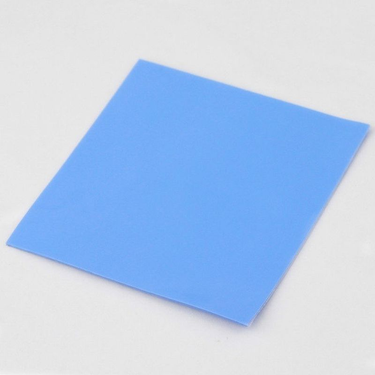
100 mm x 0,5 mm GPU CPU Kühlkörper Kühlung Wärmeleitendes Silikonpad

LZ-D20 Notebook-Kühlpad mit Halterung aus Aluminiumlegierung, Halbleiterkühlung, mehrfach verstellbarer Winkel für Laptops/Tablets

Q100 17-Zoll-Gaming-Lüfter mit LED-Bildschirm, zwei USB-Anschlüssen, 2600 U/min, Kühlpad und Notebook-Ständer für Laptop-Lüfter
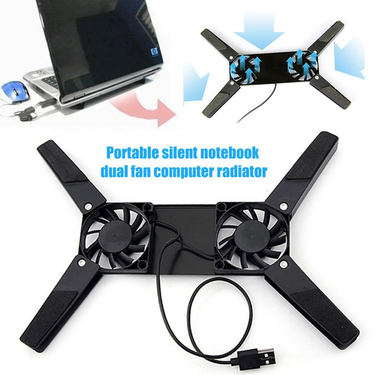
Farfi Hochleistungs-Kratzfester ABS-Universal-Faltbarer Computerkühler für Laptop

Originaler neuer CPU-Lüfter für ASUS DFS5K12114262H und DFS5K12304363H

Metall-iPad-Tablet-Ständer, Laptop-Kühlhalterung mit erhöhter Position, Stützgestell aus Kohlenstoffstahl für Handys und Tablets

Kühlkörper für GIGABYTE GeForce 3080 und RTX 3090 GAMING OC Grafikkarten (Radiatorlüfter)

Originaler FDC10U12S9-C GPU-Lüfter für PALIT GTX 1660 Ti, 1660 SUPER, 1660, 1650 StormX OC Grafikkarten

Neuer CPU-/GPU-Kühler für Dell G3, G3-3579 und G3-3779 Serie, Lüfter 0TJHF2 TJHF2 0GWMFV GWMFV

Laptop-Lüfter für MSI GS63VR GS63 GS73 GS73VR MS-17B1 Stealth Pro CPU BS5005HS-U2F1 GPU BS5005HS-U2L1

Neuer Lüfter für SANYO 9WF0924S2031 A90L-0001-0598#A 24V 0,5A 92*92*32mm

Neuer originaler CPU-Lüfter-Kühlkörper für Lenovo ThinkPad X1 Extreme P1 Gen 2 Laptop FRU 02XR044

Neuer CPU-Lüfter für EVERFLOW T124010SL (2) Durchmesser 3,6 cm Lochabstand 3 * 2,3 cm, leiser Mainboard-Lüfter

Neuer CPU-/GPU-Lüfter für Asus ROG Strix G531G, G531GT, G531 GU, GD, GW, FLLB, FLKJ, FLKL, DFS5K12304363N, DFS5K12115491M (5 V)
Laptop Cooling Solutions for Smoother Performance
While your laptop humming like a jet engine, keys feeling hot to the touch, you need to find some cooling solutions. Overheating throttles performance, shortens component life, and turns simple tasks into frustrating waits. Voghion offers laptop cooling pads and stands for quieter and faster using.
Why overheating happens: gaming, rendering, and multitasking explained
Modern laptops pack immense power into thin bodies—but physics hasn’t changed.Intense gaming sessions, video rendering, or 20+ browser tabs push processors hard, generating heat faster than slim vents can expel it. If you need buy new budget gaming laptops, Voghion is a good choice.
Internal fans struggle with thick carpets, blankets, or wooden desks trapping heat underneath. That’s where a gaming laptop cooling pad shines. Its elevated design creates airflow under your machine, working with internal fans instead of against them.
Cooling pad benefits beyond temperature: quieter fans, longer battery life
When temperatures drop, internal fans slow down dramatically. That means less distracting noise during calls or movies.
Better thermals also reduce battery stress. Lithium-ion batteries degrade faster above 30°C (86°F)—a cooler laptop could add months to its lifespan. The gentle hum of a laptop cooling fan is far less intrusive than your machine’s fans at full throttle. You can use laptop cleaners to clean the dust hiding in your laptop.
Ergonomic bonus: how tilt angles reduce wrist strain during long sessions
Typing on a flat laptop forces wrists into awkward angles, causing fatigue. A tilted laptop stand with cooling fan elevates your screen to eye level. This neutral position reduces neck hunching while the angle keeps wrists straight. Just 15 degrees makes emails, coding, or design work noticeably more comfortable over hours.
If you spend long hours sitting in front of a computer, a durable neck massager and a portable massage gun would be the perfect Valentine's Day gift for yourself.
Don’t forget maintenance.
Every few months, gently clean dust from your cooling pad for laptop vents using compressed air. While you’re at it, blow out your laptop’s own vents—less dust means both systems work more efficiently together.
A smart cooling solution pays off daily:
· Fewer performance stutters during important tasks
· Longer hardware lifespan
· More comfortable work sessions
 4.4 von 5 basierend auf 9,249 bewertungen