



Full View
Podobné položky
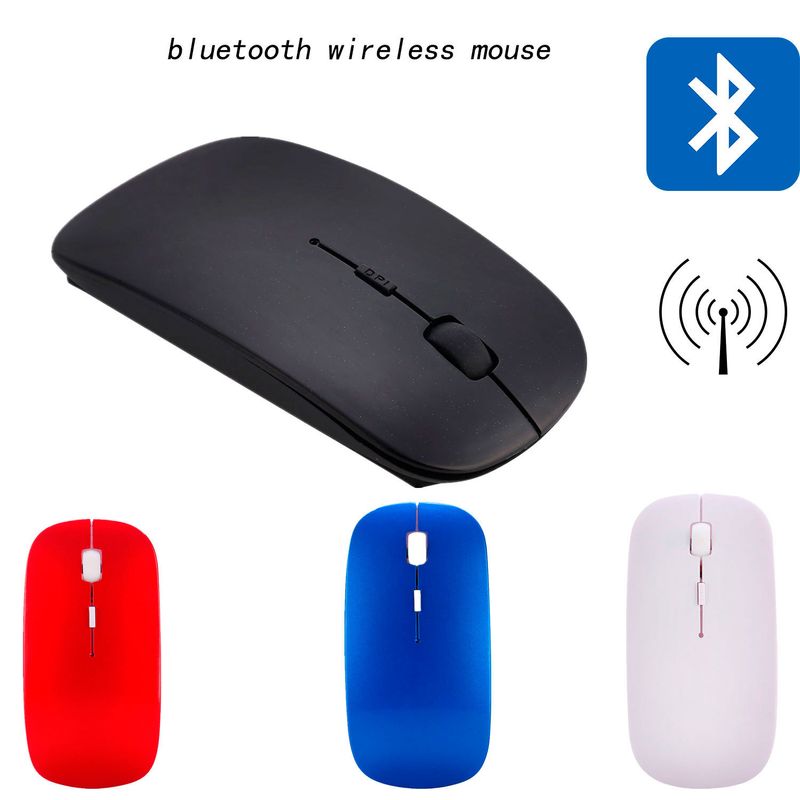
Počítačová bezdrôtová prenosná myš Bluetooth Office Business Notebook Tablet
€16.22€20.63
farba : Red+2.4G wireless


Množstvo :
 Customer Service
správa
Zahrňte porušenie autorských právŠtandardná doprava zadarmo. Pozrite si podrobnosti
Odhaduje sa medzi Fri, Apr 10 a Wed, Apr 15
Tovar môžete vrátiť do 30 dní od prevzatia. Pozrite si podrobnosti
Nakupujte s dôverou

Záruka vrátenia peňazí
Získajte späť objednaný tovar alebo peniaze. Zistite viac
About this item
Získané z ConsumerElectronic
Seller assumes all responsibility for this listing.Číslo položky: 30822367
Item specifics
Vlastnosti
Zrkadlové, matné, podobné pleti
Vlastnosti
Zrkadlové, matné, podobné pleti
Vlastnosti
Zrkadlové, matné, podobné pleti
Os
Červená os, zelená os, čierna os
Os
Červená os, zelená os, čierna os
Os
Červená os, zelená os, čierna os
Numerická klávesnica
Áno nie
Numerická klávesnica
Áno nie
Pripojenie
Bezdrôtové, káblové, bluetooth
Pripojenie
Bezdrôtové, káblové, bluetooth
Pripojenie
Bezdrôtové, káblové, bluetooth
Veľkosť
<100 mm, 100 mm – 120 mm, 121 mm – 130 mm
Veľkosť
<100 mm, 100 mm – 120 mm, 121 mm – 130 mm
Veľkosť
<100 mm, 100 mm – 120 mm, 121 mm – 130 mm
Item description from the seller
Main features
Variable CPI resolution, 100012001600CPI can be freely switched;
The structural design conforms to the principles of ergonomics;
The built-in software solution conforms to the Bluetooth human interface device and complies with the Bluetooth SIG Bluetooth 2.0 version specification;
Windows 98/ME/2000/XP/VISTA operating system;
Using 2 1.5V AAA alkaline batteries
Frequency range: 2.4-2.4835;
Receiving sensitivity: -75dbm (standard)
Transmission distance: 10m;
Working environment: -10 degrees to 85 degrees;
Placement environment: 0 ° C to 55 ° C;
Humidity: 20% -50%.
Attention:
The photoelectric mouse cannot run on glass or mirror surfaces. Please avoid using it on such media, otherwise the mouse may not work properly.
For power-saving reasons, it is recommended to use a photoelectric mouse on a bright and textured medium to achieve lower power consumption. Dark media surfaces may consume more power.
To achieve better transmission distance, please avoid using this mouse on metal surfaces. Using on metal surfaces will shorten the transmission distance.
Mouse parameters
Size and weight:
Length: 112MM
Width: 57MM
Height: 23MM
Weight: approximately 37g
Mouse material: ABS
Rated voltage: 3V DC
Rated current:<=12mA (white surface)
Working current: 0.2-12mA
Transmission distance: 10m
Installation guidance
Installation method:
Step 1: Install the battery
1. Open the mouse back cover.
2. Insert two AAA alkaline batteries (pay attention to the positive and negative poles of the batteries).
3. Close the battery cover, turn on the mouse power, press the left, middle, and right buttons once, and then release them. At this time, the mouse is in pairing mode
Step 2: Connect the mouse and adapter (dongle)
Before installing the mouse, it is necessary to confirm that the computer has Bluetooth functionality and that the installation program has been completed. For example, widcom (recommended), IVT, and Windows built-in (cannot connect headphones).
Press and release both the middle and right mouse buttons (compound pairing keys) simultaneously, and the mouse will be in pairing mode. Note that the compound pairing key (pressing both the middle and right keys simultaneously to take effect) is only used during pairing


Videá
Videos for this product

 4.4 z 5 na základe recenzií 9,249